

Quick answer: SurveyLegend is our top pick for most small and growing businesses. It’s easy to use, the surveys look polished, and you get useful business features without turning a simple customer survey into a technical project. SurveyMonkey, QuestionPro, SurveySparrow, and Typeform are also worth a look when you need deeper analysis, more formal customer-experience tracking, or a particular survey style.
Editor’s note: This article is a summary of publicly available product information and verified third-party user reviews. We did not test these platforms ourselves. Rankings and recommendations reflect our editorial assessment and are subjective.
Asking customers what they think should be simple. You ask a few good questions, they tell you what’s working, and you use that information to improve.
Except it doesn’t always work that way: customers bail on surveys, your team ends up drowning in open-ended responses, or, if you manage both, there are no actual next steps because no one knows what to do with the feedback.
Customer feedback only matters if your team can gather it quickly, understand it easily and take action that matters. A local brewpub might need a polished post-purchase survey, while a VP of Customer Success needs NPS monitoring and alerts, along with automations and integrations into their CRM. The right feedback tool does all that, plus it can help you write better questions, build surveys that won’t scare people away and offer actual next steps using their feedback.
We compared 14 popular options based on ease of use, design, reporting, integrations, pricing, and their usefulness for real business feedback.
The best business survey tools at a glance
|
Tool |
Best For |
Free Version? |
What the Free Option Is Good For |
|
SurveyLegend |
The best overall mix of polished design, easy setup, and practical business features |
Yes |
A genuinely useful way to try its attractive, mobile-friendly survey builder before paying. You’ll need a paid plan for some advanced branding, exports, logic, and integrations. |
|
SurveyMonkey |
A familiar, well-rounded survey platform |
Yes |
Creating and sending basic surveys. Response viewing, exports, advanced logic, and stronger reporting are limited on the free plan. |
|
QuestionPro |
NPS, CSAT, CES, and more detailed research |
Yes |
Fairly substantial basic surveys, with up to 200 responses per survey and 30 question types. More advanced CX and research features require payment. |
|
SurveySparrow |
Conversational and recurring feedback |
Yes |
Trying its conversational survey style and running smaller projects. It also offers a temporary trial of more advanced features. |
|
Typeform |
Stylish, customer-facing forms and surveys |
Yes |
Building attractive basic forms and testing the respondent experience. Monthly response limits make it less practical for larger campaigns. |
|
Jotform |
Surveys connected to forms and everyday workflows |
Yes |
Creating a limited number of surveys and forms, collecting smaller volumes of submissions, and trying its broader workflow tools. |
|
Zoho Survey |
Businesses already using Zoho products |
Yes |
Creating unlimited surveys with restrictions on questions and responses. It’s especially appealing when you already use Zoho’s wider business suite. |
|
Survicate |
Website, product, and lifecycle feedback |
Yes |
Collecting a small number of responses through links, email, websites, and other digital touchpoints before moving to a paid programme. |
|
Qualtrics |
Large and complex customer-experience programmes |
Yes |
Creating, distributing, and analysing basic surveys. Its full Enterprise experience management platform is a separate, paid offering. |
|
Alchemer |
Feedback tied to integrations and automated action |
Free trial only |
Testing its professional-level survey and workflow features for seven days. There isn’t an ongoing free plan once the trial ends. |
|
Sogolytics |
Omnichannel customer-experience analysis |
Yes |
Running smaller surveys on its Free Pro plan. You can also use a temporary trial to explore more advanced packages. |
|
ProProfs Survey Maker |
Fast, AI-assisted survey creation |
Yes |
Testing the builder and collecting a very small number of responses. It’s better for trialling the platform than running a serious feedback programme. |
|
Google Forms |
Straightforward surveys at no extra cost |
Yes |
Running basic surveys, polls, and questionnaires with simple collaboration and easy Google Sheets reporting. |
|
Microsoft Forms |
Quick surveys for Microsoft 365 teams |
Yes |
Creating simple surveys, polls, and quizzes with a personal Microsoft account or within Microsoft 365. |
How we chose the tools
This ranking is based on publicly available product information. We looked at how easy each tool is to use, what kinds of feedback it handles well, how flexible the design is, what it connects to, and whether its features make sense for the businesses it’s aimed at.
Warning: Even brilliant software can’t save a badly written survey. Keep your questions clear, avoid asking two things at once, and test the survey with a few people before sending it to your entire customer list. Pew Research Center describes pretesting as an essential part of questionnaire design, and that advice applies to business surveys too.
1. SurveyLegend – Best overall for attractive, branded business feedback
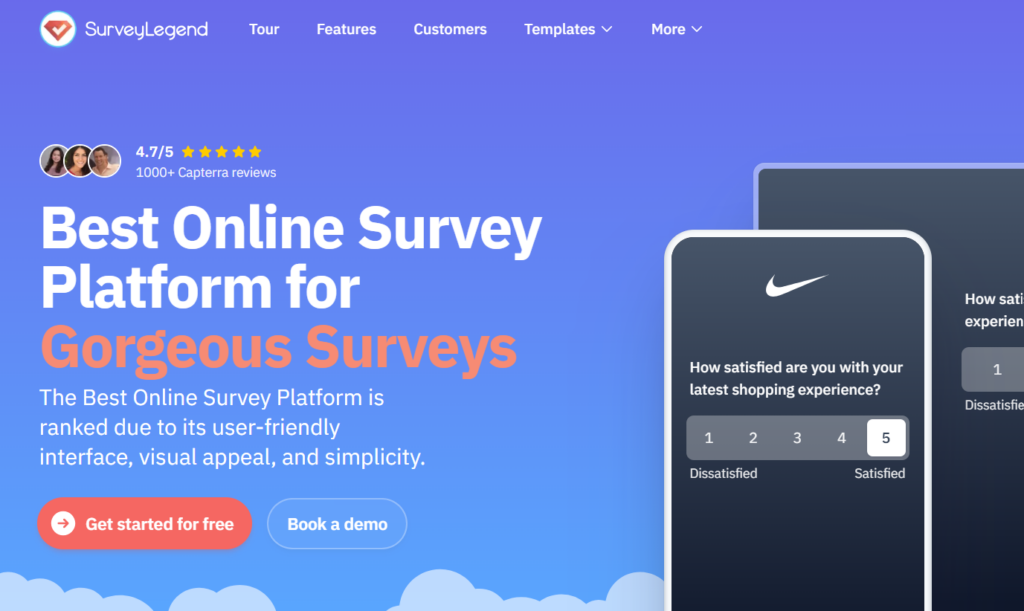
SurveyLegend is an online survey platform for people and businesses of all sizes that makes beautiful, on-brand, mobile-first surveys without coding or design skills. It’s a great fit when you want professional-looking surveys without spending hours learning complicated software. Its drag-and-drop builder is easy to get comfortable with, and you can choose from more than 20 question types, add images, use logic and branching, and adjust the design to match your brand.
It works well for post-purchase feedback, customer-satisfaction surveys, event follow-ups, product research, and everyday customer check-ins. You can see results as they arrive, export your data, and connect SurveyLegend with tools such as Google Sheets, Mailchimp, and Salesforce. Plus, AI data analysis helps you review responses and spot patterns faster. SurveyLegend scales from small teams to large organizations – it’s used by teams at brands including L’Oréal, PayPal, Sony, Adobe, and Harvard – and holds a 4.4/5 rating across 562 G2 reviews.
There’s also a free Starter plan, so you can get a feel for the platform before paying. The main thing to check is which features are included in each plan. Some tools a growing business may eventually want are paid features, while very large companies may need deeper governance or text-analysis capabilities.
Pros
- Easy drag-and-drop builder
- Polished, mobile-friendly survey design
- More than 20 question types
- Helpful branding and white-labeling options
- Live results and practical export choices
- Integrations with popular business tools
Cons:
- Several valuable features require a paid plan
- No offline survey collection
2. SurveyMonkey – Best for a familiar, well-rounded platform
SurveyMonkey is a reliable and versatile survey tool. The platform itself is filled with a variety of question types and pre-built templates along with logic and AI tools that enable you to further customize and create surveys and understand results as you go.
This tool is a good option for customer feedback, simple market research, product surveys, and simple internal polls. There’s a fair range of app integrations to choose from too.
The downside is that it starts to get expensive once you need larger response allowances. Once you need multiple branding options, large response limits, and full support, the cost climbs quickly, so check the pricing carefully before committing.
Pros
- Large template library
- AI-assisted creation and analysis
- Broad integrations
- Strong reporting and enterprise controls.
Cons
- The free tier allows relatively few responses
- Costs rise with advanced features and higher volumes.
3. QuestionPro – Best for NPS, CSAT, CES, and deeper CX work
QuestionPro is worth considering when customer feedback is becoming an ongoing part of your business rather than something you collect once in a while. It supports NPS, CSAT, and CES, as well as dashboards, sentiment analysis, journey measurement, and advanced research methods such as conjoint and MaxDiff.
That makes it useful for CX teams, researchers, and product managers who need more than a basic “How did we do?” form. You can collect detailed feedback and dig into what’s driving satisfaction or frustration.
The trade-off is complexity. There’s a lot here, and a smaller team may need time to learn the platform. Some specialized capabilities may also require higher-tier plans.
Pros
- Strong NPS, CSAT, and CES support
- Advanced research methods
- Detailed reporting and dashboards
- Useful journey and sentiment analysis
Cons
- Can feel overwhelming for beginners
- Advanced capabilities may require higher plans
4. SurveySparrow – Best for conversational and recurring feedback
SurveySparrow is a friendly choice when you want surveys to feel more like conversations than forms. It supports recurring surveys, NPS programs, multiple distribution channels, and offline collection, which can be useful at events or in places with unreliable internet.
Its AI tools can help create surveys and analyse open-ended feedback, while its integrations make it easier to connect responses to the rest of your business systems.
There’s plenty of room to grow, but that also means setup can take some time. If you only need a quick customer poll, the platform may feel bigger than necessary, and its stronger automation and analysis tools generally sit in paid tiers.
Pros
- Conversational survey experience
- Recurring survey and NPS support
- Online and offline collection
- AI-assisted creation and insight tools
Cons
- Advanced features can raise the cost
- The platform can be excessive for very simple surveys.
5. Typeform – Best for stylish, customer-facing forms
Typeform is a strong option when the survey itself is part of your customer experience. Its one-question-at-a-time format feels clean and conversational, and the design tools make it easier to create something that looks like it belongs to your brand.
You can use AI to build forms, add conditional logic, connect responses to other tools, and trigger workflows after someone submits an answer. It’s especially useful for lead forms, onboarding questions, product feedback, and shorter customer surveys where presentation matters.
The biggest catch is the response allowance. The Basic plan currently includes 100 responses a month, so costs can add up quickly if you’re surveying a large audience.
Pros
- Attractive, conversational design
- Strong branding options
- AI-assisted form creation
- Useful logic, integrations, and workflows
Cons
- Entry-plan response limits are low
- Less suited to complex enterprise CX programs
6. Jotform – Best for surveys that connect to everyday workflows
Jotform is handy when surveys are only one part of what your business needs. You can build customer surveys, registrations, approvals, order forms, and other data-collection workflows in one place.
Its AI survey generator can create a starting draft from a prompt, while its mobile app can collect responses without an internet connection. The platform is flexible and offers plenty of templates and integrations, although all those options can make the dashboard feel busy at first.
Pros
- Flexible survey and form builder
- AI-assisted survey creation
- Offline mobile collection
- Plenty of templates and integrations
Cons
- The interface can feel crowded
- Usage limits matter as your business grows
7. Zoho Survey – Best for businesses already using Zoho
Zoho Survey makes the most sense when your business already works inside the Zoho ecosystem. It supports branded surveys, offline responses, multilingual questionnaires, logic, and reporting, while fitting naturally alongside other Zoho products.
It’s a practical choice for small and mid-sized teams that want feedback connected to their wider business setup. Outside the Zoho ecosystem, though, it may not feel as appealing as more design-led or specialized platforms.
Pros
- Smooth fit with other Zoho products
- Offline survey support
- Multilingual survey options
- Useful logic and reporting features
Cons
- Best value is tied to the Zoho ecosystem
- Advanced needs may require paid plans
8. Survicate – Best for website, app, and lifecycle feedback
Survicate collects feedback at specific points in the digital customer journey. Businesses can run website, in-app, mobile, email, NPS, CSAT, and CES surveys, then send results into systems such as HubSpot, Salesforce, Intercom, Zendesk, or Google Sheets. AI tools can group topics, detect sentiment, and summarise responses.
It supports common customer-experience surveys and uses AI to summarize feedback and uncover recurring topics. It’s especially useful for SaaS, ecommerce, and subscription businesses. If most of your research happens offline or in the field, another platform may be a better fit.
Pros
- Strong website and in-app surveys
- NPS, CSAT, and CES support
- Useful CRM and support integrations
- AI-assisted summaries and analysis
Cons
- Less suited to offline field research
- Costs can rise with volume and automation
9. Qualtrics – Best for large enterprise CX programs
Qualtrics is built for organizations that need to understand customer experience across many channels, teams, and markets. It can combine surveys with calls, reviews, chats, digital activity, and service interactions, then use text analytics to identify themes, sentiment, and risk.
That’s powerful, but it’s also a lot of software. Most small businesses won’t need this depth, and getting everything running usually takes more time, planning, and budget than a straightforward survey platform.
Pros
- Enterprise-level experience management
- Advanced text and sentiment analysis
- Handles feedback from many channels
- Strong controls and reporting
Cons
- Too complex for many small businesses
- Pricing is generally sales-led
10. Alchemer – Best for turning feedback into action
Alchemer is a good choice when collecting feedback isn’t enough and you need the answers to trigger something useful. It combines surveys with workflow automation, alerts, routing, dashboards, and more than 400 prebuilt integrations.
A poor satisfaction score, for example, could be routed to your support team or added to the appropriate CRM record. That flexibility is valuable, but it takes more setup than a simple plug-and-play survey maker.
Pros
- Strong workflow automation
- Hundreds of integrations
- Flexible logic and survey design
- Can route feedback into business systems
Cons
- Setup may feel technical
- Full pricing may require sales contact
11. Sogolytics – Best for omnichannel CX analysis
Sogolytics helps businesses gather feedback through email, SMS, websites, mobile devices, QR codes, kiosks, branches, and social channels. Its AI tools can analyze sentiment, identify themes, uncover important drivers, and flag possible churn risks.
It’s a useful middle ground for organizations that want serious CX analysis without immediately choosing one of the largest enterprise platforms. Still, the wide feature set can create a steep learning curve depending on the team’s experience with survey tools.
Pros
- Wide range of feedback channels
- AI sentiment and theme analysis
- NPS, CSAT, and CES tracking
- Real-time dashboards
Cons
- Takes time to learn properly
- Advanced features may require higher plans
12. ProProfs Survey Maker – Best for fast, AI-assisted creation
ProProfs Survey Maker is useful when you want to get a survey live quickly. You can describe what you need, let the AI create a first draft, and then adjust the wording and design.
It also offers more than 20 question types, a large library of ready-made questions, templates, and multilingual options. It’s easy to approach, although teams with highly complex research needs may eventually want deeper analytical tools.
Pros
- Quick AI survey generation
- Large template and question library
- More than 20 question types
- Multilingual survey support
Cons
- Free and paid limits need checking
- Less depth for complex research programs
13. Google Forms – Best for simple, free surveys
Google Forms is hard to beat when your needs are basic and your budget is tight. It’s easy to create a survey, share it with customers, collaborate with colleagues, view responses in real time, and send the data to Google Sheets. Basic answer-based branching is also available.
It’s ideal for quick polls and straightforward feedback. You’ll probably outgrow it if you need polished branding, deeper analysis, or automated customer follow-up.
Pros
- Free for basic use
- Very easy to learn
- Works smoothly with Google Sheets
- Simple sharing and collaboration
Cons
- Limited branding
- Basic analysis
- Few specialized CX features
14. Microsoft Forms – Best for Microsoft 365 teams
Microsoft Forms is an easy option for teams already using Office 365. You build the survey, poll, or questionnaire, watch results as they roll in, use built-in analysis features, and export to Excel.
It’s one of the better low-barrier-to-entry choices for simple satisfaction measurement, but for more advanced work, you’ll want specialized supplementary software.
Pros
- Quick and easy to set up
- Fits naturally into Microsoft 365
- Real-time results and basic analytics
- Easy Excel export
Cons
- Limited advanced branding
- Fewer specialised analytics and automations;
- Less appealing outside Microsoft’s ecosystem
What should you look for in a business survey tool?
Start with what you’ll actually do after the customer responds.
Integrations and Automations: If a low satisfaction score should alert your support team, check the integrations and automation first. If you’re sending a survey after every purchase, pay close attention to response limits. If most customers will answer on their phones, test the mobile experience before committing.
Software Needs: Be honest about how much software you truly need. Amazing dashboards and AI tools are nice, but there is no point paying for things that your team doesn’t use. For many small businesses, an excellent survey, an easy report, and a few integrations are a lot more valuable than a dozen other cool features.
AI Tools: You can use AI to help write questions, summarize answers, understand sentiment, or assess common themes. It can help save time, but you still need to make sure the questions are fair, clear, and tied to a business decision.
Frequently asked questions
What’s the best survey tool for customer feedback?
SurveyLegend is our best all-round choice for attractive surveys, practical integrations, and an easy learning curve.
Which survey tool scales best as a business grows?
SurveyLegend covers most growing teams with branding, logic, exports, and integrations on affordable paid tiers. For heavy enterprise CX or research, QuestionPro or Qualtrics scale further.
How much does SurveyLegend cost?
SurveyLegend has a free Starter plan. Paid tiers add advanced branding, exports, logic, integrations, and other business features.
What Do NPS, CSAT, and CES measure?
NPS measures willingness to recommend, CSAT measures satisfaction, and CES measures how easy or difficult an experience was.
Which survey tools work with salesforce?
SurveyLegend, SurveyMonkey, SurveySparrow, Typeform, Survicate, Alchemer, and other platforms offer Salesforce connections or workflows. Functions and eligible plans vary, so confirm whether you need data transfer, automated triggers, contact synchronisation, or bidirectional updates.
Final verdict
SurveyLegend is the strongest overall choice for businesses that want surveys to look good, work well on mobile, and remain easy to manage.
The best survey tool isn’t necessarily the one with the longest feature list. It’s the one your team will actually use and the one that helps you do something actually useful with what your customers tell you.